



The following outlines the process to access the IPP at www.ipp.gov.
Image
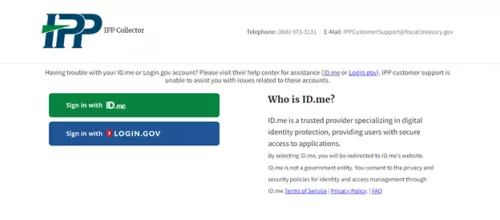
IPP Collector home page will display.
Once you have logged into www.ipp.gov using ID.me or Login.gov, you will find instructions and videos on how to setup e-mail notifications, invoice, add additional users, and other relevant information. To view the information, scroll down and select the topic you wish to review.
Additional Assistance
IPP Customer Support Help Desk
IPPCustomerSupport@fiscal.treasury.gov
Standard Operating Hours:
Monday - Friday (Except Federal Holidays)
8:00 AM - 6:00 PM EST
Return to the IPP Quick Reference Guide