



The following outlines the process to change the Bill to Agency.
Image
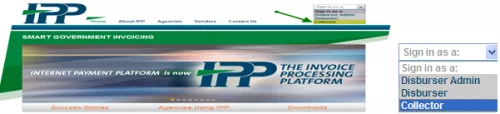
- Sign into IPP at www.ipp.gov.
- From the "Sign-In as a" drop-down menu in the upper right corner, select Collector.
- Sign in using ID.me or Login.gov
Image
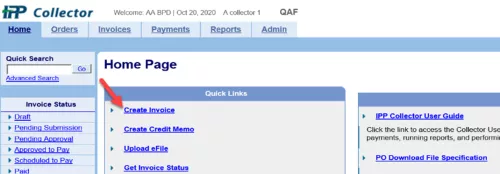
- On the Home Page, select Create Invoice under the Quick Links.
Image
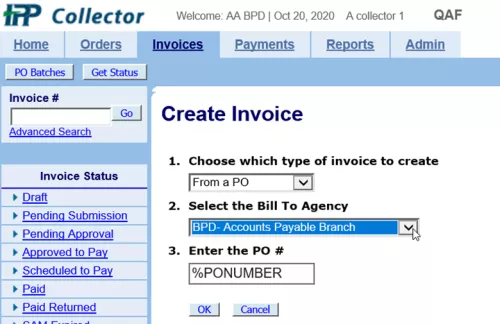
- Under Create Invoice select the following options:
- Choose "From a PO" as the Type of Invoice to Create
- Select "BPD-Accounts Payable Branch" as the Bill to Agency.
- Enter a % sign in front of the PO number (the % sign acts as a wild card and can be entered by itself to bring up all your purchase orders available).
- Select OK to bring up your orders.
Additional Assistance
IPP Customer Support Help Desk
IPPCustomerSupport@fiscal.treasury.gov
Standard Operating Hours:
Monday - Friday (Except Federal Holidays)
8:00 AM - 6:00 PM EST
Return to the IPP Quick Reference Guide